Honda Civic Service Manual: Driver's Front Door Sill Trim Removal and Installation
8431A7 LEFT FRONT

Removal
| 1. |
Front Door Sill Trim - 4-Door |
|
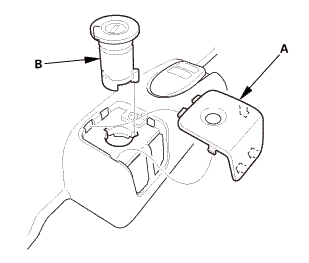
|
|
2.
|
Remove the opener lock cylinder (B).
|
|
|
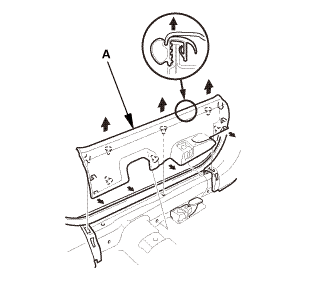
|
|
4.
|
Remove the front door sill trim (A).
|
|
| 2. |
Front Seat Belt Lower Anchor Bolt - 2-Door |
|
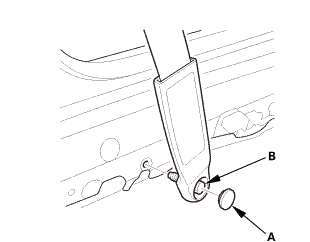
|
|
1.
|
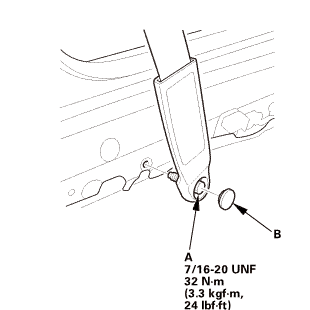
Remove the lower anchor cap (A).
|
|
2.
|
Remove the lower anchor bolt (B).
|
|
| 3. |
Front Door Sill Trim - 2-Door |
|
|
|
2.
|
Remove the opener lock cylinder (B).
|
|
|
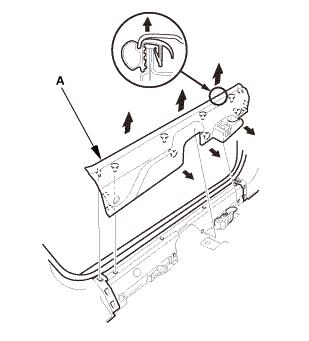
|
|
4.
|
Remove the front door sill trim (A).
|
|

Installation
| 1. |
Front Door Sill Trim - 2-Door |
|
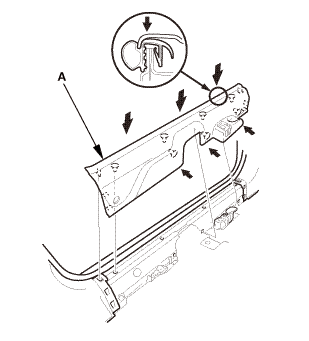
|
|
1.
|
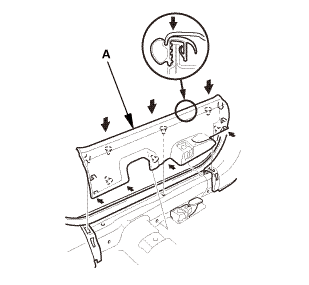
Install the front door sill trim (A).
|
|
|
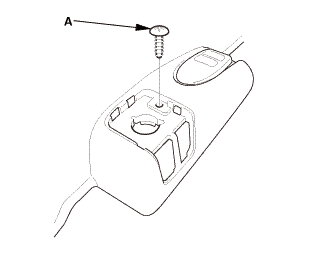
|
|
2.
|
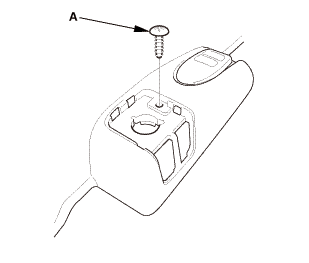
Install the screw (A).
|
|
|
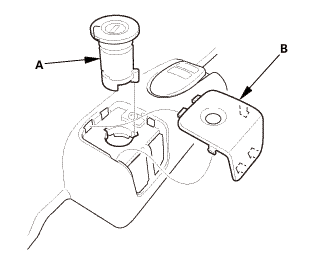
|
|
3.
|
Install the opener lock cylinder (A).
|
|
| 2. |
Front Seat Belt Lower Anchor Bolt - 2-Door |
|
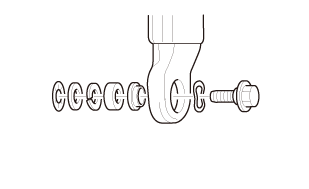 @@@ @@@
|
|
1.
|
Assemble the washer, the collar, and the bushing on the lower
anchor bolt as shown.
|
|
NOTE: Apply medium strength liquid thread lock to the lower anchor
bolt before reinstallation.
|
|
|
 7/1s-2om-min 7/1s-2om-min
|
|
2.
|
Install the lower anchor bolt (A).
|
|
3.
|
Install the lower anchor cap (B).
|
|
| 3. |
Front Door Sill Trim - 4-Door |
|
|
|
1.
|
Install the front door sill trim (A).
|
|
|
|
|
2.
|
Install the screw (A).
|
|
|
|
|
3.
|
Install the opener lock cylinder (A).
|
|
815325 LEFT FRONT
816330 RIGHT FRONT
821310 LEFT REAR
822310 RIGHT REAR
1.
Front Inner Fender As Needed
1.
Front door: Remove the front inner fender ...
1.
Front Fog Light Trim
Except Si model
Si model
1.
Remove the front fog light trim (A).
...

 Door Position Adjustment (4-door)
 Front Bumper Fog Light Cover Removal and Installation ('13-'14: 4-door)