Honda Civic Service Manual: Trunk Lid Opener/Fuel Fill Door Opener Removal and Installation
849110

Removal
| 1. |
Front Door Sill Trim - 4-Door |
|
|
|
1.
|
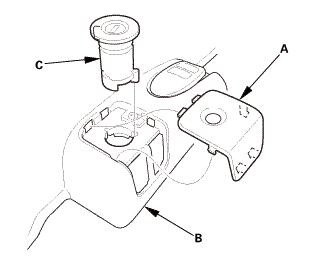
Remove the cap (A) from the front door sill trim (B).
|
|
2.
|
Remove the opener lock cylinder (C).
|
|
|
|
|
4.
|
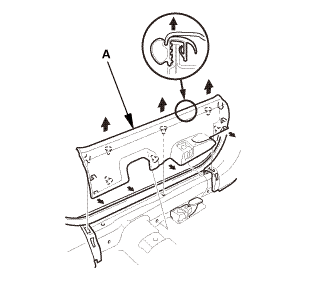
Remove the front door sill trim (A).
|
|
| 2. |
Front Seat Belt Lower Anchor Bolt - 2-Door |
|
|
|
1.
|
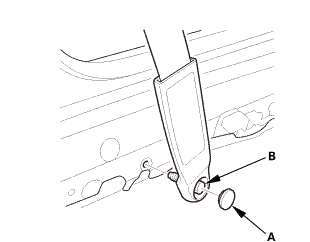
Remove the lower anchor cap (A).
|
|
2.
|
Remove the lower anchor bolt (B).
|
|
| 3. |
Front Door Sill Trim - 2-Door |
|
|
|
2.
|
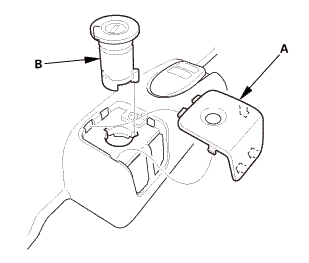
Remove the opener lock cylinder (B).
|
|
|
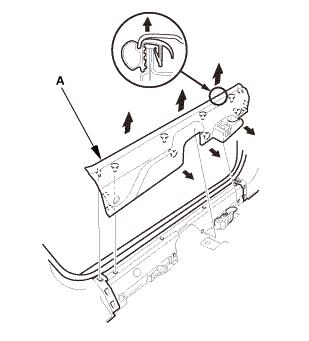
|
|
4.
|
Remove the front door sill trim (A).
|
|
| 4. |
Trunk Lid Opener/Fuel Fill Door Opener |
|
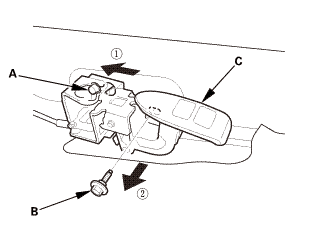
|
|
1.
|
Loosen the opener mounting rear bolt (A).
|
|
2.
|
Remove the opener mounting front bolt (B), then remove
the trunk lid opener/fuel fill door opener (C).
|
|
|
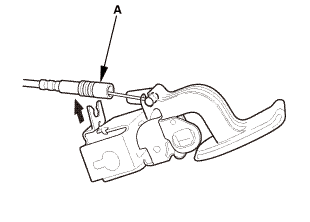
|
|
3.
|
Disconnect the trunk lid opener cable/fuel fill door
opener cable (A) from the opener.
|
|

Installation
| 1. |
Trunk Lid Opener/Fuel Fill Door Opener |
|
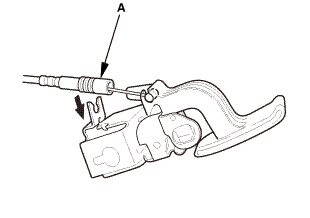
|
|
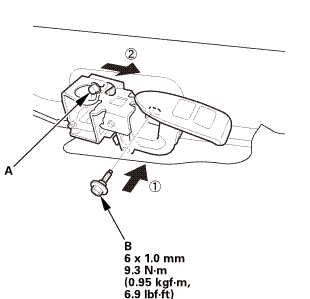
1.
|
Connect the trunk lid opener cable/fuel fill door opener
cable (A) to the opener.
|
|
|
|
|
2.
|
Install the opener mounting rear bolt (A) temporarily.
|
|
3.
|
Install the opener mounting front bolt (B).
|
|
|
2-door
4-door
|
|
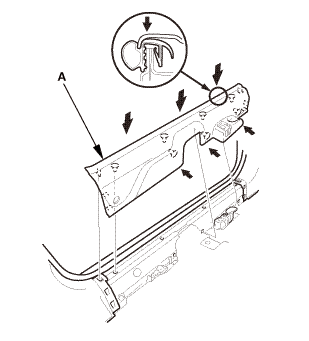
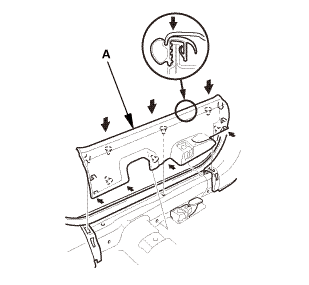
4.
|
Install the front door sill trim (A).
|
|
|
|
|
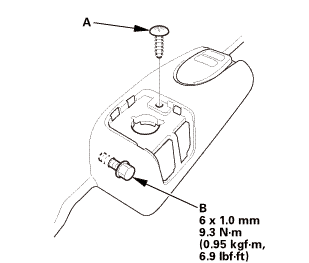
5.
|
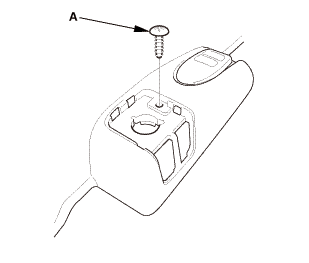
Install the screw (A).
|
|
6.
|
Tighten the opener mounting rear bolt (B).
|
|
|
|
|
7.
|
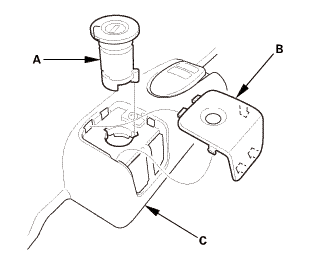
Install the opener lock cylinder (A).
|
|
8.
|
Install the cap (B) to the front door sill trim (C).
|
|
823160
SRS components are located in this area. Review the SRS component
locations and the precautions and procedures before doing repairs
or service.
...

 Trunk Lid Opener Cable/Fuel Fill Door Opener Cable Removal and Installation
(4-door except Natural Gas models)
Trunk Lid Opener Cable/Fuel Fill Door Opener Cable Removal and Installation
(4-door except Natural Gas models) Hood Assembly