Honda Civic manuals

Honda Civic Service Manual: Front Bumper Removal and Installation ('13-'14: 4-door)

Honda Civic Service Manual / Body / Body Exterior / Bumpers / Front Bumper Removal and Installation ('13-'14: 4-door)

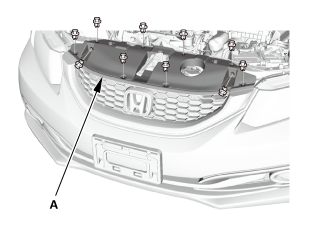
1. Front Grille Cover

1.

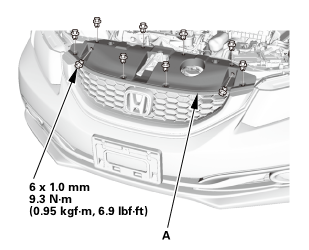
Remove the front grille cover (A).

2.

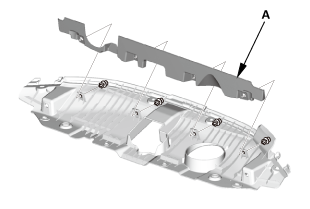
If necessary, remove the front bumper upper duct (A).

2. Front Bumper

1.

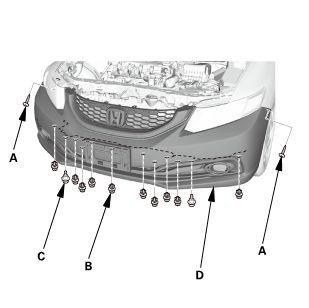
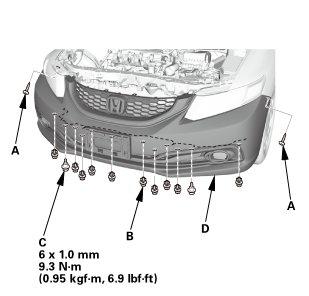
Remove the screws (A), the clips (B), and the bolts (C) securing the front bumper (D).

2.

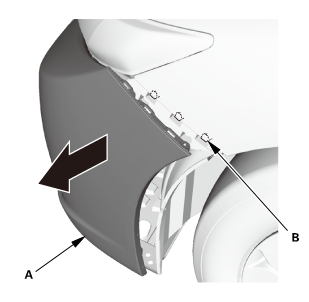
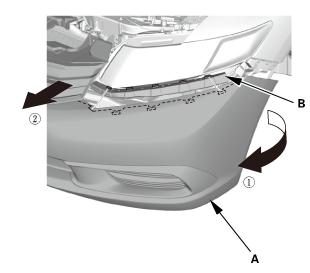
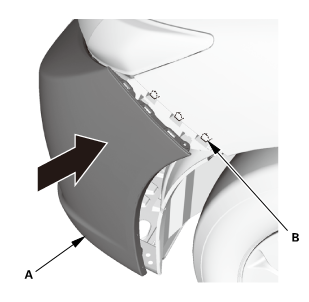
Pull out the front bumper (A) from the side spacer (B). Repeat this step on the opposite side.

3.

With the help of an assistant, pull out both sides of the front bumper (A) from the upper beam (B).

4.

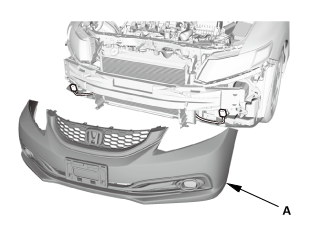
With the help of an assistant, remove the front bumper (A).

3. Front Bumper Absorber

1.

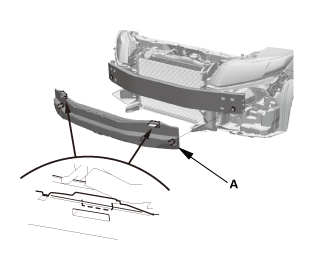
For some models: Remove the front bumper absorber (A).

1. Front Bumper Absorber

1.

For some models: Install the front bumper absorber (A).

2. Front Bumper

1.

With the help of an assistant, install the front bumper (A).

2.

With the help of an assistant, install both sides of the front bumper (A) to the upper beam (B).

3.

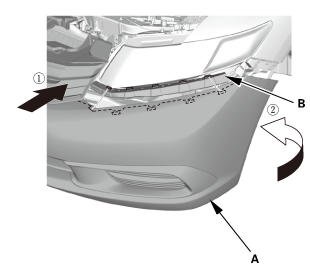
Install the front bumper (A) to the side spacer (B). Repeat this step on the opposite side.

4.

Install the screws (A), the clips (B), and the bolts (C) securing the front bumper (D).

3. Front Grille Cover

1.

Install the front bumper upper duct (A).

2.

Install the front grille cover (A).

Front Bumper Removal and Installation ('12, '13: 2-door)
8101D5 1. Front Bumper ...

Rear Bumper Reflector Removal and Installation ('13-'14)
1. Rear Bumper ...

See also:

Honda Civic Owners Manual. Ring Tone
You can change the ring tone setting.  Go to the phone settings screen. Select Ring Tone.  Select Fixed or Mobile Phone. Ring Tone Fixed: The fixed ring tone sounds from the speakers. Mobile Phone: For certain connected phones, the ring tone stored in the p ...

© 2016-2026 Copyright www.hocivic.com

0.0246