
Honda Civic Owners Manual: Adjusting the Sound. Display Setup
Adjusting the Sound
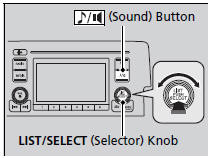
Press the (sound) button,
and rotate
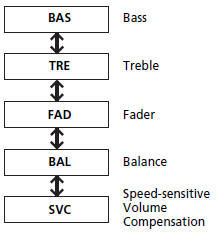
 to scroll through the following choices:
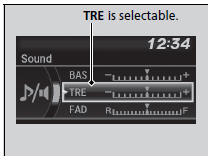
Rotate to adjust the sound
setting, then
press
 .
Adjusting the Sound
The SVC has four modes: Off, Low, Mid, and High.
SVC adjusts the volume level based on the vehicle speed. As you go faster, audio volume increases. As you slow down, audio volume decreases.
Display Setup
You can change the brightness or color theme of the audio/information screen.
Changing the Screen Brightness
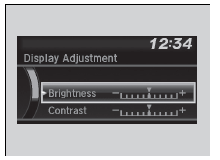
1. Press the MENU/CLOCK button.
2. Rotate  to select Settings, then
press
 .
3. Rotate  to select Display
Adjustment,
then press
 .
4. Rotate to select
Brightness, then press
 .
5. Rotate  to adjust the
setting, then press
 .
Changing the Screen’s Color Theme
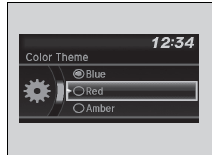
1. Press the MENU/CLOCK button.
2. Rotate  to select Settings, then
press
 .
3. Rotate  to select Color
Theme, then
press
 .
4. Rotate  to select the setting
you want,
then press
 .
Changing the Screen Brightness
You can change the Contrast and Black level settings in the same manner.
 Wallpaper Setup
You can change, store, and delete the wallpaper on the audio/information
screen.
Import wallpaper
You can import up to three images, one at a time, for wallpaper from a USB
flash
drive.
1. ...
 Playing the AM/FM Radio
Radio Data System (RDS)
Provides text data information related to your selected RDS capable FM
station.
To find an RDS station from Station List
1. Press while listening
to an FM stat ...
See also:
Honda Civic Service Manual. Moonroof Drain Channel Removal and Installation (4-door)
8141D0
Removal
1.
Moonroof Link Cover Both
1.
Remove the lid (A).
2.
Re ...
