
Honda Civic Service Manual: Shift Solenoid Wire Harness Removal and Installation (A/T)
7371J4

| 1. | Vehicle Lift |
|
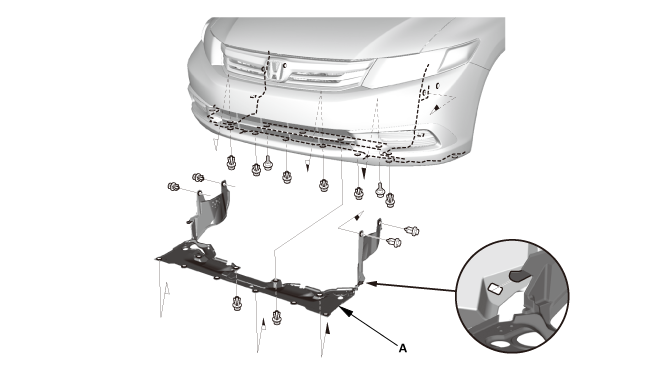
| 2. | Engine Undercover |
|
|
|
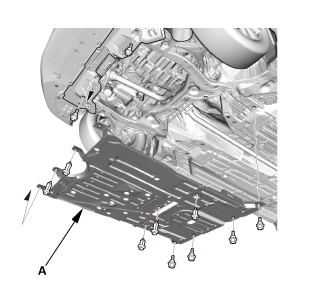
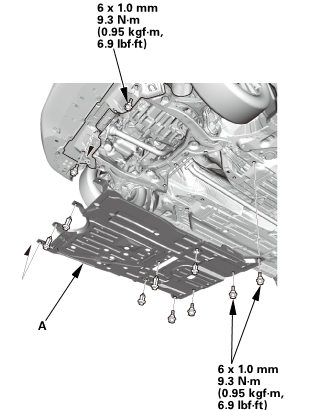
| 3. | Splash Shield |
|
1. |
Remove the splash shield (A). |
| 4. | ATF - Replacement |
|
|
|
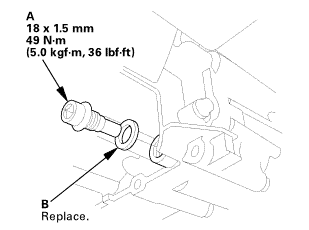 (somn)
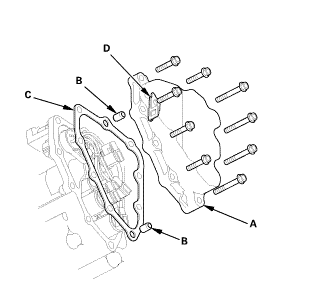
| 5. | A/T Solenoid Cover |
|
|
|
| 6. | Shift Solenoid Wire Harness |
|
|
|
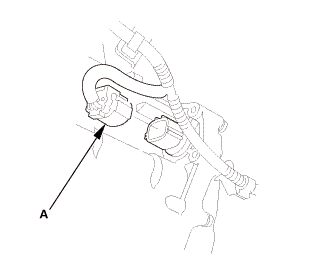
|
|
|
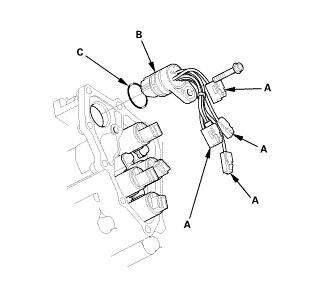

| 1. | Shift Solenoid Wire Harness |
|
|
|
|||||||||||||||||||||||||
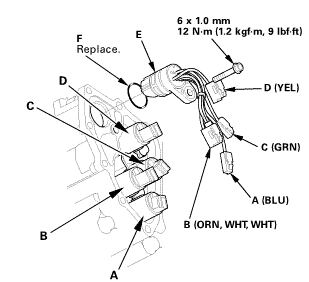

|
|
|
| 2. | A/T Solenoid Cover |
|
|
|
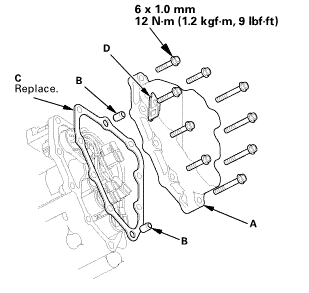 inmm
inmm| 3. | ATF - Replacement |
|
|
|
|
2. |
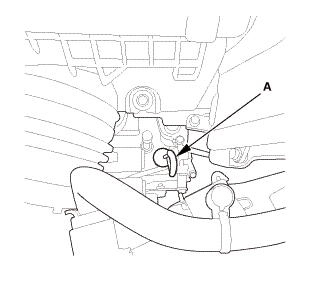
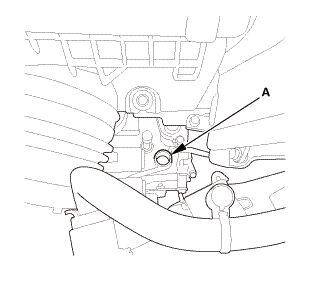
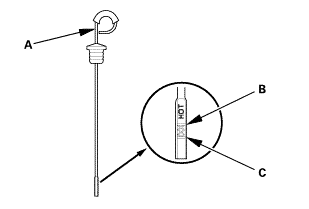
Refill the transmission with the recommended fluid into the dipstick hole (A) to bring the fluid level between the upper mark and the lower mark of the dipstick. Always use Honda automatic transmission fluid (ATF) ATF DW-1. Using a non-Honda ATF can affect shift quality. |
|||||||||
|
||||||||||
|
|
|
| 4. | Splash Shield |
|
1. |
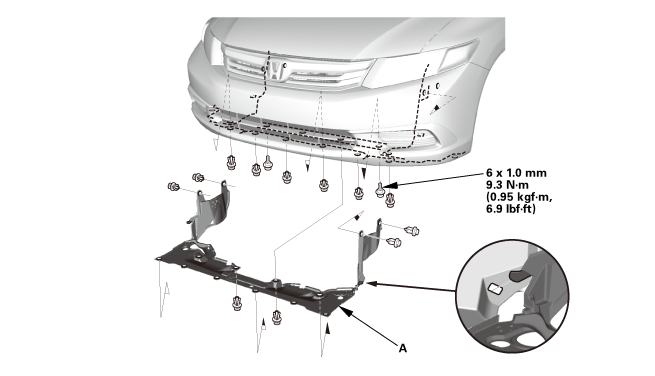
Install the splash shield (A). |
| 5. | Engine Undercover |
|
|
|
| 6. | Maintenance Minder Reset |
|
 Shift Solenoid Valve Removal and Installation (A/T)
NOTE: Do not hold the shift solenoid valve connector to remove the shift
solenoid valves. Be sure to hold the shift solenoid valve body.
1.
Vehicle Lift
...
 Transmission End Cover Air Check Valve Removal and Installation (A/T)
Removal
1.
Transmission Range Switch Cover
1.
Remove the transmission range switch cover (A).
...
See also:
Honda Civic Owners Manual. Manual Transmission Fluid
Models with manual transmission
Specified fluid: Honda Manual Transmission Fluid (MTF)
Have a dealer check the fluid level and replace if necessary.
Do not attempt to check or change the manual transmission fluid yourself.
Manual Transmission Fluid
If Honda MTF is not available, ...
