
Honda Civic Service Manual: Hood Opener Cable Removal and Installation
8121C1

| 1. | Vehicle Lift |
|
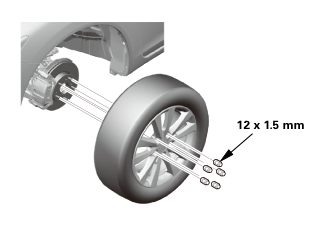
| 2. | Front Wheel |
|
|
|
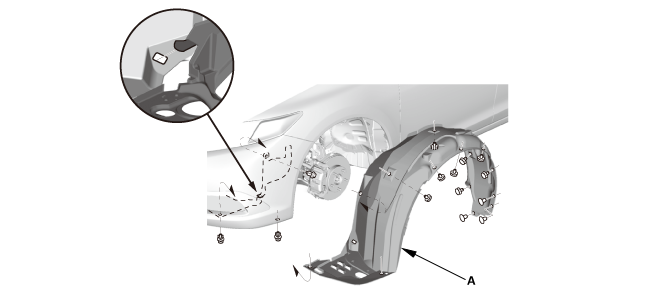
| 3. | Front Inner Fender |
|
1. |
Remove the front inner fender (A). |
| 4. | Front Door Sill Trim - 4-Door |
|
|
|
|
|
|
|
|
|
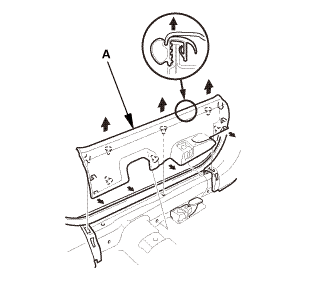
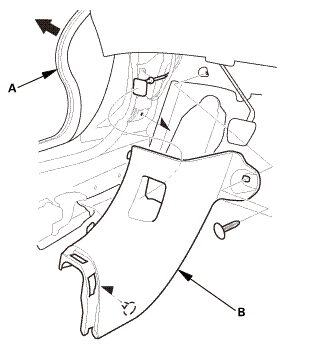
| 5. | Kick Panel |
|
|
|
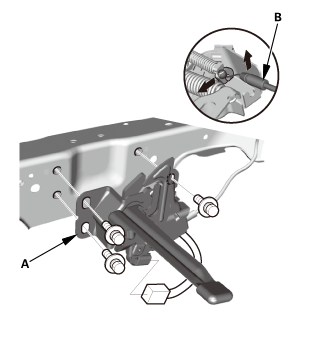
| 6. | Hood Latch |
|
|
|
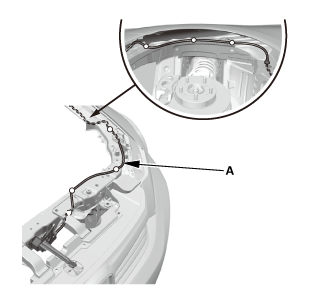
| 7. | Hood Opener Cable |
|
|
|
|
|
|
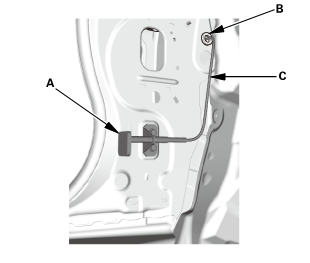

| 1. | Hood Opener Cable |
|
|
|
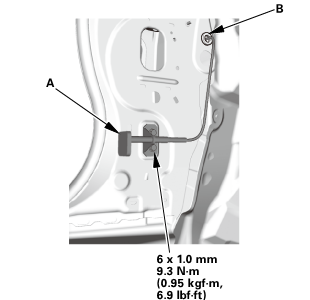
|
|
|
||||||
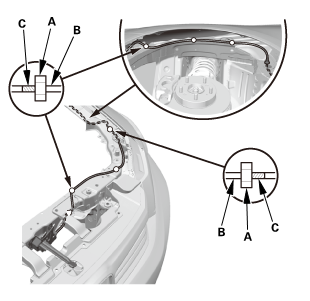
| 2. | Hood Latch |
|
|
|
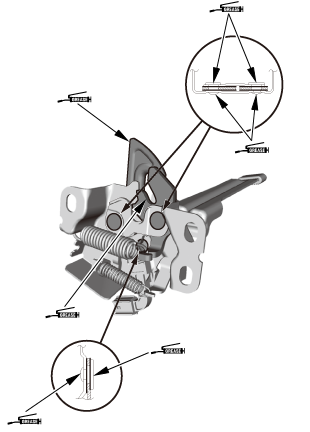
|
|
|
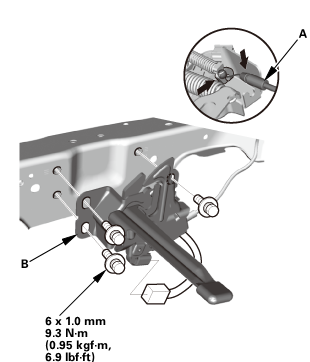 6xmm5sim
| 3. | Hood Latch - Adjustment |
|
1. |
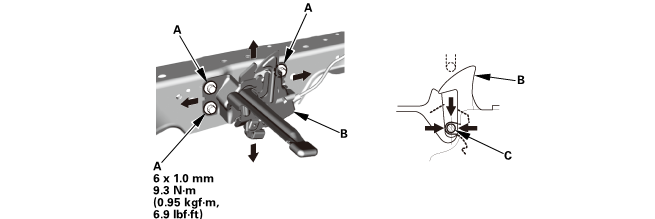
Slightly loosen the hood latch mounting bolts (A). |
|
2. |
Adjust the hood latch (B) to obtain the proper height at the forward edge, and move the hood latch right or left until the striker (C) is centered in the hood latch. |
|
3. |
Tighten the hood latch mounting bolts to the specified torque. |
|
4. |
Make sure the hood opens properly and locks securely. |
|
|
|
| 4. | Kick Panel |
|
|
|
| 5. | Front Door Sill Trim - 4-Door |
|
|
|
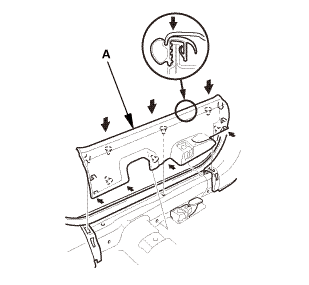
|
|
|
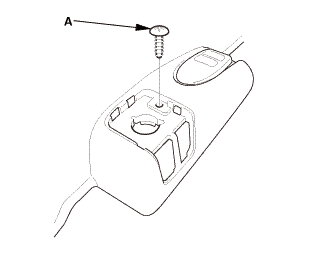
|
|
|
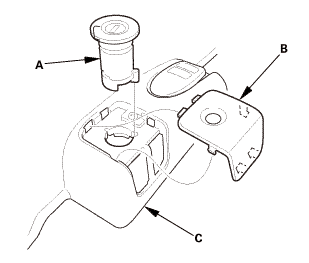
| 6. | Front Inner Fender |
|
1. |
Install the front inner fender (A). |
| 7. | Front Wheel |
|
|
|
||||||
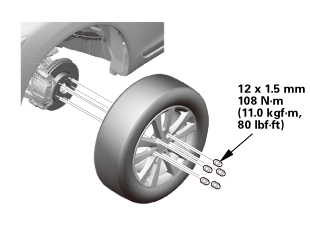 mmmln-mnomm
 Hood Assembly
...
 Hood Latch Removal and Installation
812120
Removal
1.
Hood Latch
1.
Remove the hood latch ( ...
See also:
Honda Civic Owners Manual. Front Sensor Camera
The camera, used in systems such as LKAS, RDM, ACC with LSF, and CMBSTM, is
designed to detect an object that triggers any of the systems to operate its
functions
Camera Location and Handling Tips
This camera is located behind the rearview
mirror.
To help reduce the likelihood that high ...
