
Honda Civic Owners Manual: Making a Call
You can make calls by inputting any phone number, or by using the imported phonebook, call history, speed dial entries, or redial.
|
Making a Call Any voice-tagged speed dial entry can be dialed by voice from any screen.
Press the The maximum range between your phone and vehicles is 30 feet (10 meters). Once a call is connected, you can hear the voice of the person you are calling through the audio speakers. |
 button and follow
the prompts.
button and follow
the prompts.To make a call using the imported phonebook
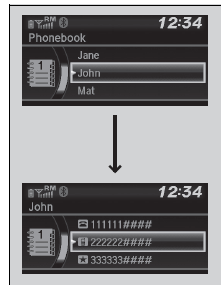
When your phone is paired, the contents of its phonebook are automatically imported to HFL.
- Press the
 button or
the
button or
the  button.
 - Rotate
 to select
Phonebook, then
press
to select
Phonebook, then
press  .
. - The phonebook is stored alphabetically.
Rotate t
o select the initial,
then press
. - Rotate to select a
name, then press .
- Rotate to select a
number, then press
.
- Dialing starts automatically.
|
To make a call using the imported phonebook This function is disabled while the vehicle is moving. However, you can call a stored voice-tagged speed dial number using voice commands. |
To make a call using a phone number
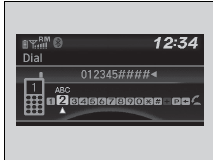
- Press the button or
the button.
- Rotate to select Dial,
then press .
- Rotate to select a
number, then press
.
- Rotate to select
, then press
.
- Dialing starts automatically.
|
To make a call using a phone number This function is disabled while the vehicle is moving. However, you can call a stored voice-tagged speed dial number using voice commands. |
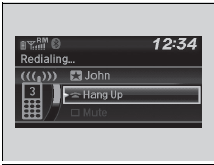
To make a call using redial
- Press the button or
the button.
- Rotate to select
Redial, then press .
- Dialing starts automatically.
|
To make a call using redial Press and hold the |
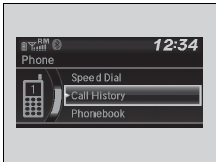
To make a call using the call history
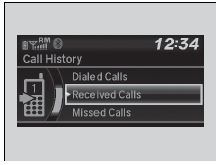
Call history is stored by Dialed Calls, Received Calls, and Missed Calls.
- Press the button or
the button.
- Rotate to select Call
History, then
press .
- Rotate to select
Dialed Calls, Received
Calls, or Missed Calls, then press
.
- Rotate to select a
number, then press
.
- Dialing starts automatically.
|
To make a call using the call history The call history appears only when a phone is connected to HFL, and displays the last 20 dialed, received, or missed calls. |
To make a call using a speed dial entry
- Press the button or
the button.
- Rotate to select Speed
Dial, then press
.
- Rotate to select a
number, then press
.
- Dialing starts automatically.
|
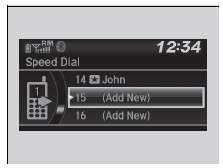
To make a call using a speed dial entry On the Phone screen, the first six speed dials on the list can be directly selected by pressing the corresponding audio preset buttons (1-6). Select Others to view another paired phone's speed dial list.
When a voice tag is stored, press the
Any voice-tagged speed dial entry can be dialed by
voice from any screen. Press the
|
 button and
call the number using voice commands.
button and
call the number using voice commands. button and
follow the prompts.
button and
follow the prompts. Speed Dial
Up to 20 speed dial numbers can be stored per phone.
To store a speed dial number:
Press the button or
the button.
Rotate to select Speed
Dial, then press
.
Ro ...
 Receiving a Call
When there is an incoming call, an audible
notification sounds and the Incoming Call
screen appears.
Press the button to answer the call.
Press the button to decline or end
the
call.
...
See also:
Honda Civic Owners Manual. HFL Status Display
The audio/information screen notifies you
when there is an incoming call.
Bluetooth HandsFreeLink
Bluetooth Wireless Technology
The Bluetooth word mark and logos are registered
trademarks owned by Bluetooth SIG, Inc., and any
use of such marks by Honda Motor Co., Ltd., i ...
