
Honda Civic Service Manual: Input Shaft (Mainshaft) Speed Sensor Removal and Installation (A/T)
2181D8

Removal
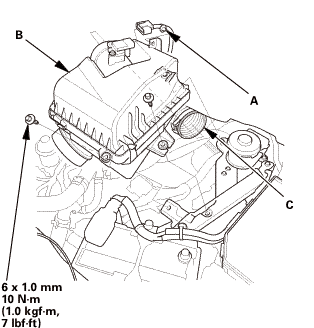
| 1. | Air Cleaner |
|
|
|
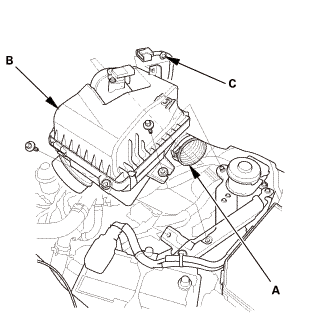
| 2. | Input Shaft (Mainshaft) Speed Sensor |
|
|
|
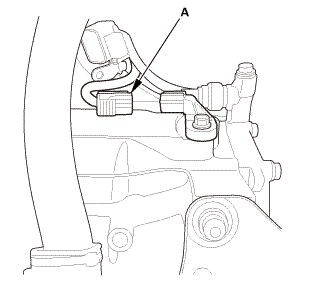
|
|
|
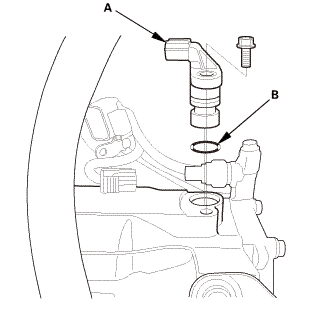

Installation
| 1. | Input Shaft (Mainshaft) Speed Sensor |
|
|
|
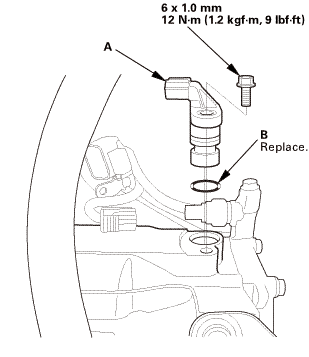
|
|
|
| 2. | Air Cleaner |
|
|
|
 Front Driveshaft Disassembly and Reassembly (A/T, M/T)
1.
Front Driveshaft Exploded View
Exploded View
looponly!mboaldsslusegreasemcludedmhaardhamlowampsnvmwucdamperwwstopringlowearrehlace.lhglnasn...oumaam
...
 Line Pressure Solenoid Valve A Removal and Installation (A/T)
2321F8 FRONT
Removal
1.
Line Pressure Solenoid Valve A
1.
Disconnect the connector (A).
...
See also:
Honda Civic Owners Manual. If the Charging System Indicator Comes
On
Reasons for the indicator to come on
Comes on when the battery is not being charged.
What to do when the indicator comes on
Turn off the heating system*/climate control system*, rear defogger, and
other electrical systems, and immediately contact a dealer for repairs.
If the Chargi ...
