
Honda Civic Service Manual: Front Door Center Lower Channel Removal and Installation (4-door)
8261A4 LEFT REAR
8271A4 RIGHT REAR

Removal
| 1. | Front Door Power Window Switch Panel (4-door) |
|
|
|
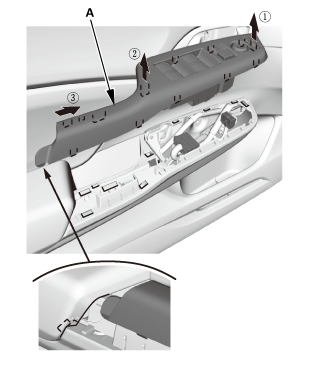
| 2. | Front Door Panel - Driver's Side (4-Door) |
|
|
|
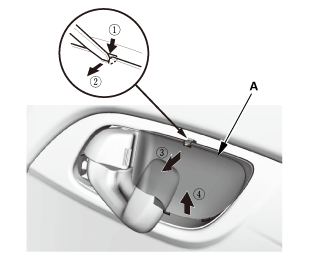
|
|
|
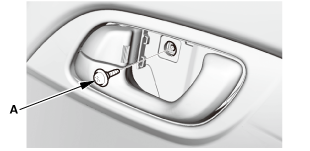
|
|
|
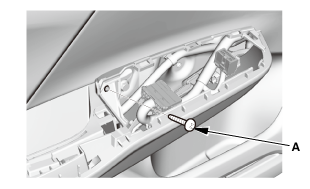
|
|
|
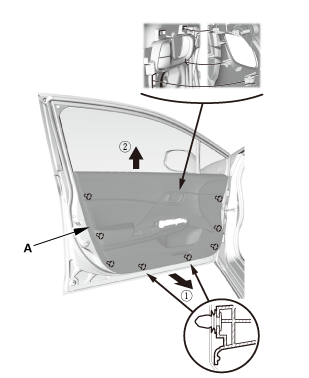
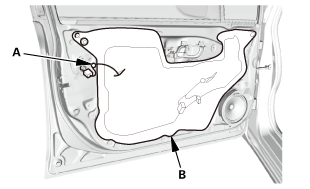
| 3. | Front Door Plastic Cover As Needed (4-door) |
|
|
|
| 4. | Front Door Center Lower Channel |
|
|
|
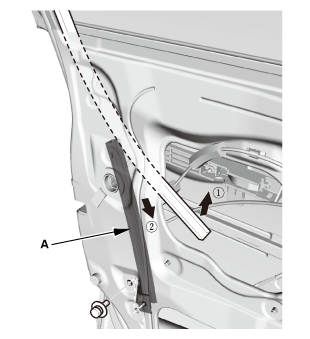

Installation
| 1. | Front Door Center Lower Channel |
|
|
|
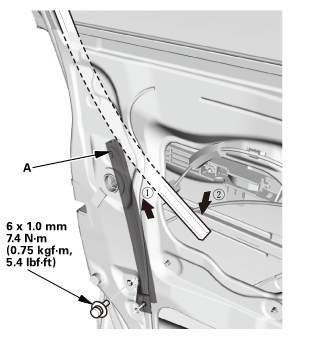
| 2. | Front Door Plastic Cover as Needed (4-door) |
|
|
|
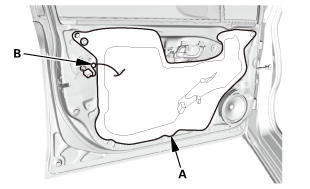
| 3. | Front Door Panel - Driver's Side (4-Door) |
|
|
|
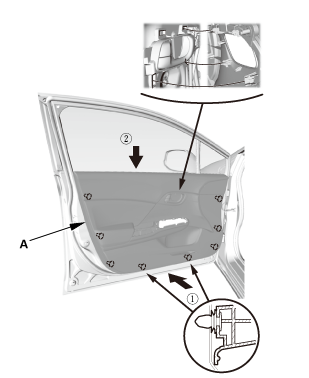
|
|
|
|
|
|
|
|
|
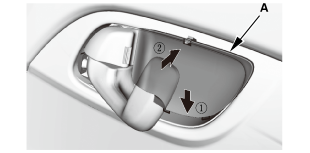
| 4. | Front Door Power Window Switch Panel (4-door) |
|
|
|
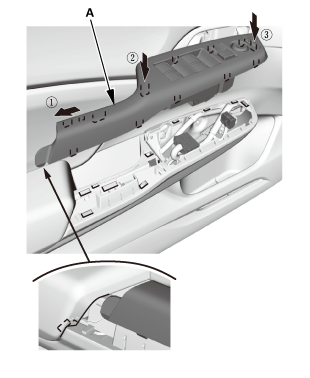
 Front Bumper Removal and Installation ('13-'14: 4-door)
1.
Front Grille Cover
1.
Remove the front grille cover (A).
...
 Front Door Corner Glass Removal and Installation (4-door)
Removal
1.
Front Door Power Window Switch Panel (4-door)
1.
Rem ...
See also:
Honda Civic Owners Manual. To Set the Vehicle Speed
Take your foot off the pedal and press the -/SET button when you reach the
desired
speed.
The moment you release the -/SET button, the set speed is fixed, and cruise
control
begins. The CRUISE CONTROL indicator comes on.
During cruise control, Straight Driving Assist Function is activate ...
