Honda Civic Service Manual: Front Door Outer Handle Removal and Installation (4-door)
818110 LEFT
819110 RIGHT

| 1. |
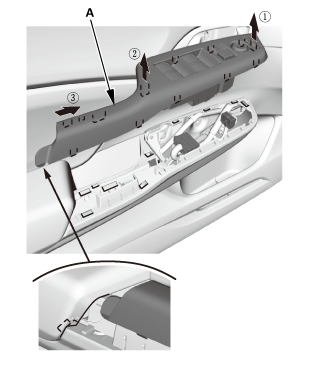
Front Door Power Window Switch Panel (4-door) |
|
|
|
1.
|
Remove the power window switch panel (A).
|
|
| 2. |
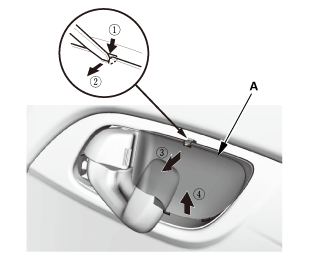
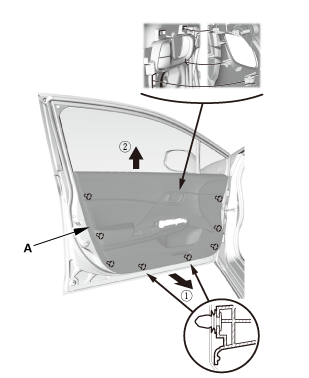
Front Door Panel - Driver's Side (4-Door) |
|
|
|
1.
|
Remove the inner handle cap (A).
|
|
|
|
|
4.
|
Remove the door panel (A).
|
|
| 3. |
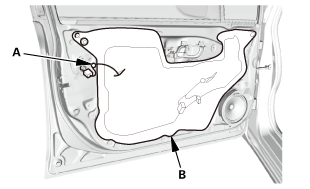
Front Door Plastic Cover As Needed (4-door) |
|
|
|
1.
|
Detach the harness clip (A).
|
|
2.
|
Remove the plastic cover (B) as needed.
|
|
|
|
|
1.
|
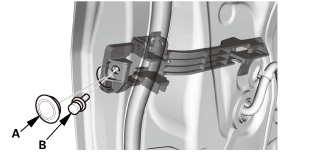
Remove the plug cap (A) and the bolt (B).
|
|
|
|
|
2.
|
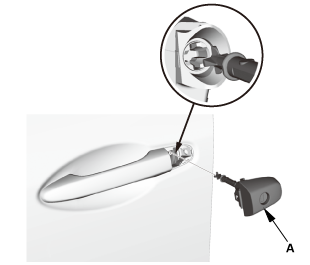
Remove the door lock cylinder (A).
|
|
| 5. |
Front Door Outer Handle (4-door) |
|
|
|
1.
|
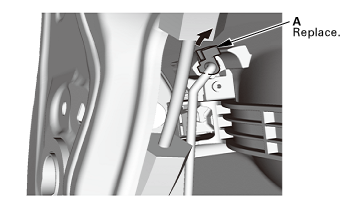
Release the rod fastener (A).
|
|
|
|
|
2.
|
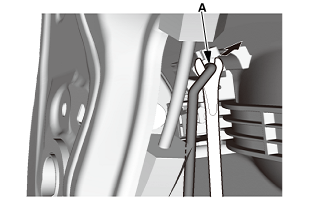
Disconnect the outer handle rod (A).
|
|
|
|
|
4.
|
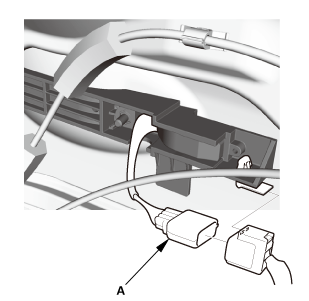
For some models: Disconnect the outer handle connector
(A).
|
|
|
|
|
5.
|
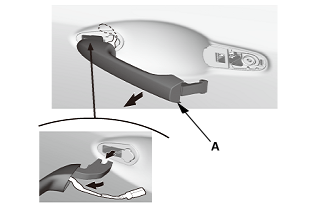
Remove the outer handle (A).
|
|
|
|
|
6.
|
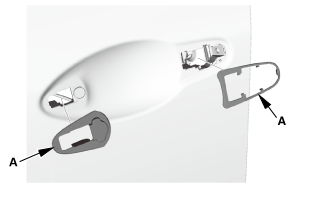
Remove the outer handle seals (A).
|
|
|
|
|
7.
|
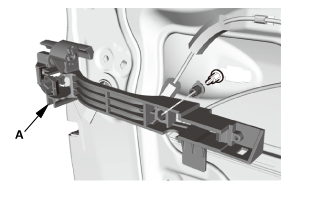
Remove the outer handle base (A).
|
|
|
|
|
8.
|
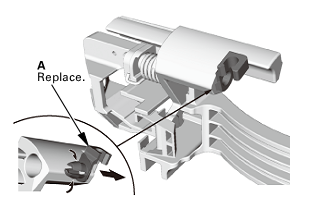
Remove the rod fastener (A).
|
|

| 1. |
Front Door Outer Handle |
|
|
|
1.
|
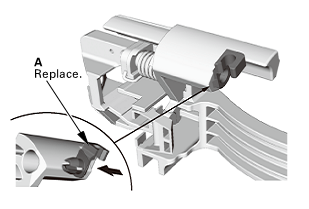
Install the new rod fastener (A).
|
|
|
|
|
2.
|
Install the outer handle base (A).
|
|
|
|
|
3.
|
Install the outer handle seals (A).
|
|
|
|
|
4.
|
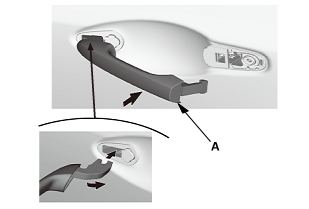
Install the outer handle (A).
|
|
|
|
|
5.
|
For some models: Connect the outer handle connector (A).
|
|
|
|
|
7.
|
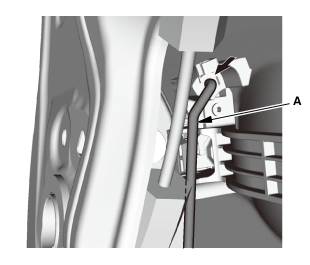
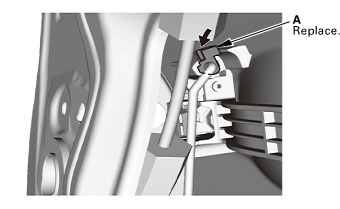
Connect the outer handle rod (A).
|
|
|
|
|
8.
|
Install the rod fastener (A).
|
|
|
|
|
1.
|
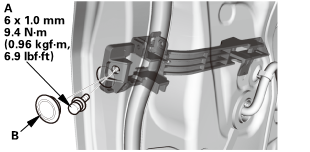
Install the door lock cylinder (A).
|
|
|
|
|
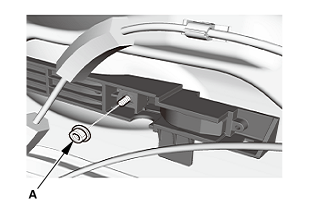
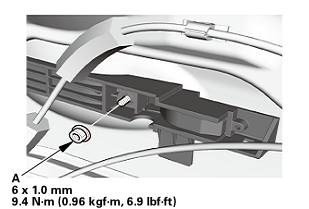
2.
|
Install the bolt (A) and the plug cap (B).
|
|
| 3. |
Front Door Plastic Cover as Needed (4-door) |
|
|
|
1.
|
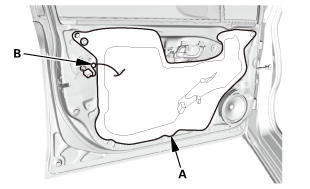
Install the plastic cover (A).
|
|
2.
|
Attach the harness clip (B).
|
|
| 4. |
Front Door Panel - Driver's Side (4-Door) |
|
|
|
1.
|
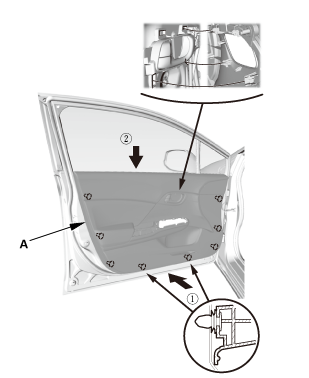
Install the door panel (A).
|
|
|
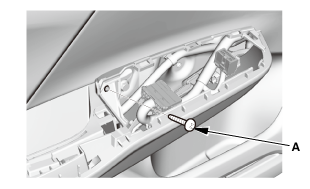
|
|
2.
|
Install the screw (A).
|
|
|
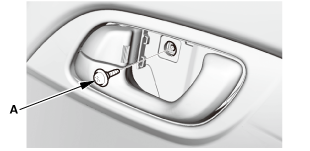
|
|
3.
|
Install the screw (A).
|
|
|
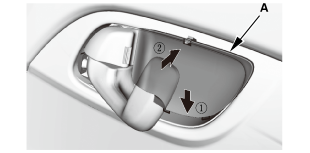
|
|
4.
|
Install the inner handle cap (A).
|
|
| 5. |
Front Door Power Window Switch Panel (4-door) |
|
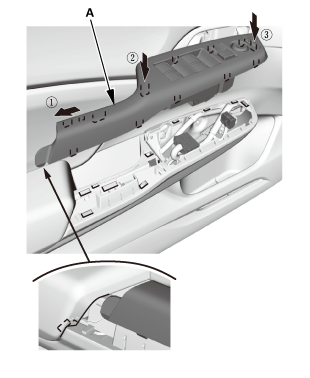
|
|
1.
|
Install the power window switch panel (A).
|
|
818120 LEFT
819120 RIGHT
Removal
1.
Front Door Power Window Switch Panel (4-door)
...
Removal
1.
Front Door Panel (2-Door)
1.
Remove the inner handle ...
See also:
Honda Civic Owners Manual. Jump Starting Procedure
Turn off the power to electric devices, such as audio and lights. Turn off
the engine,
then open the hood.
Connect the first jumper cable to your
vehicle's battery + terminal.
Connect the other end of the first jumper
cable to the booster battery + terminal.
► Use a 12 ...

 Front Door Inner handle Removal and Installation (4-door)
 Front Door Panel Removal and Installation (2-door)