Honda Civic Service Manual: MTF Replacement (M/T)

|
|
1.
|
Raise the vehicle on a lift, and make sure it is securely supported.
|
|
|
|
|
1.
|
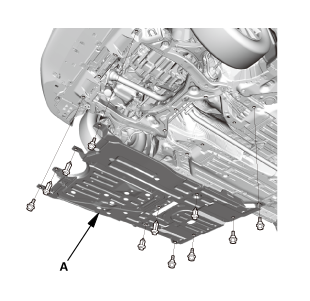
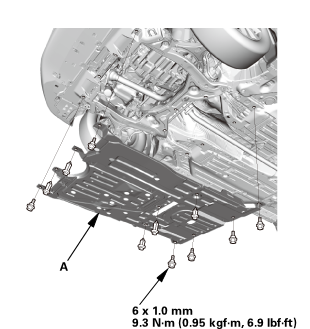
Remove the engine undercover (A).
|
|
|
|
|
1.
|
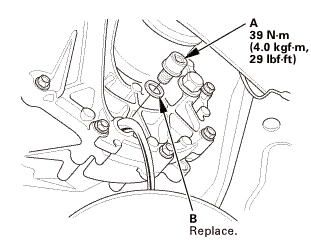
Remove the drain plug (A) and the sealing washer (B), and drain
the MTF.
|
|
2.
|
Reinstall the drain plug with a new sealing washer.
|
|

|
|
|
1.
|
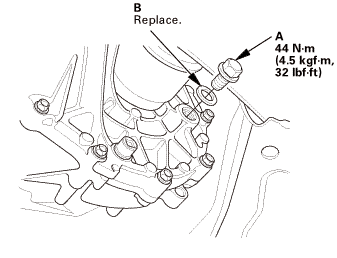
Remove the filler plug (A) and the sealing washer (B).
|
|
2.
|
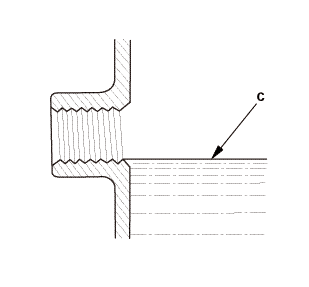
Refill the transmission with MTF to the proper level (C). Always
use Honda Manual Transmission Fluid (MTF).
|
|
Manual Transmission Fluid Capacity
|
Except K24Z7 engine:
|
| |
1.4 L (1.5 US qt) at fluid change
|
| |
1.6 L (1.7 US qt) at overhaul
|
|
K24Z7 engine:
|
| |
1.9 L (2.0 US qt) at fluid change
|
| |
2.0 L (2.1 US qt) at overhaul
|
|
|
|
|
3.
|
Reinstall the filler plug with a new sealing washer.
|
|
|
 1.0mmmm 1.0mmmm
|
|
1.
|
Install the engine undercover (A).
|
|
| 3. |
Maintenance Minder Reset |
|
|
1.
|
After doing all procedures, select the individual maintenance
item you wish to reset with the HDS..
|
|
212150
SRS components are located in this area. Review the SRS Component Location
Index and the SRS Precautions and Procedures before doing repair or service.
1. ...
View
1.
Clutch Housing Exploded View
Exploded View - Clutch Housing
nirrerem1alassemslvsmncoumersmar1assemalvnameoncum:u.20mmwashermminnommonsealreversegea ...

 M/T Shift Cable Removal and Installation (R18Z1 M/T)
 Manual Transmission Disassembly and Reassembly (R18Z1 M/T)