



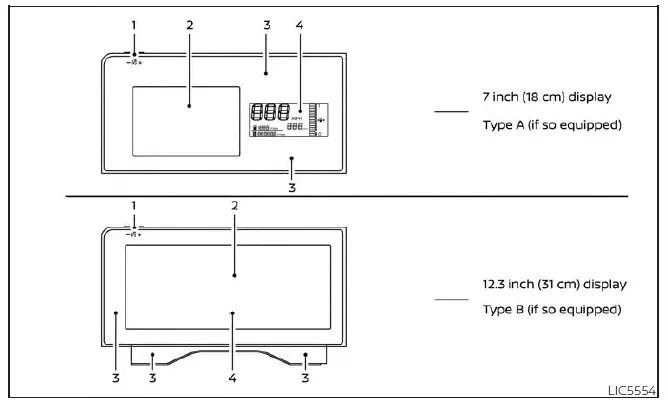
- Instrument brightness control for adjusting the meter cluster illumination
- Vehicle information display for Nissan Kicks driving data, settings, and system messages
- Warning and indicator lights for important vehicle alerts
- Trip computer (7 inch only)
Speedometer
Tachometer
Odometer
Twin trip odometer
Fuel gauge
Engine coolant temperature gauge
Speedometer and odometer
The Nissan Kicks is equipped with a speedometer and odometer to help the driver monitor vehicle speed and total driving distance. The speedometer is positioned on the right side of the meter cluster for clear visibility while driving.
The odometer is shown within the trip computer on Type A models, if so equipped, or within the vehicle information display on Type B models, if so equipped. It is located to the left of the speedometer and provides essential mileage information for maintenance tracking and general vehicle use.
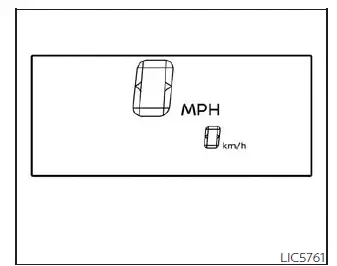
7 inch (18 cm) Type A (if so equipped)
Speedometer
The speedometer displays the current vehicle speed of the Nissan Kicks. Always monitor the speedometer and drive within posted speed limits and road conditions.
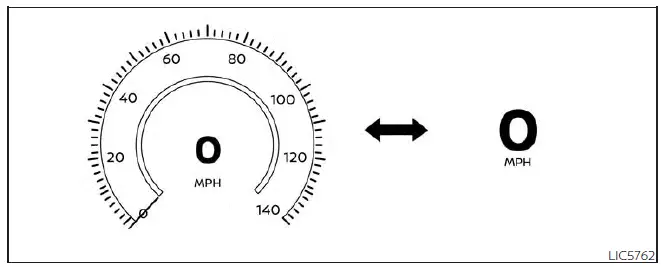
12.3 inch (31 cm) Type B (if so equipped)
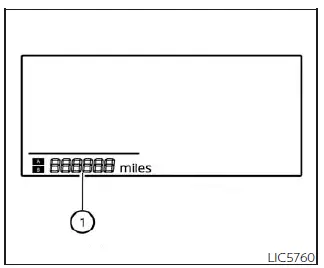
7 inch (18 cm) Type A (if so equipped)
Odometer/Twin trip odometer
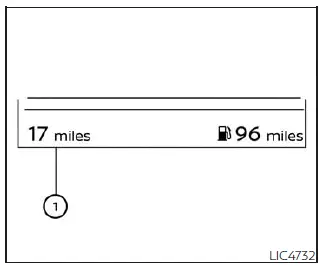
The odometer and twin trip odometer 1 are displayed in the trip computer on Type A models, if so equipped, or in the vehicle information display on Type B models, if so equipped, when the ignition switch is placed in the ON position.
The odometer records the total distance the Nissan Kicks has been driven since new. This reading is useful for scheduled maintenance, service records, and resale documentation.
The twin trip odometer records the distance of individual trips. It can be useful for monitoring fuel economy, measuring route distance, or tracking separate journeys.
12.3 inch (31 cm) Type B (if so equipped)
Tachometer
7 inch (18 cm) Type A (if so equipped)
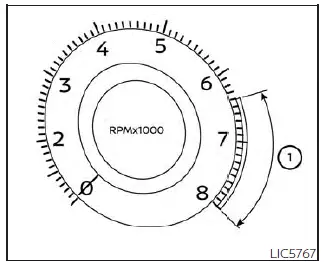
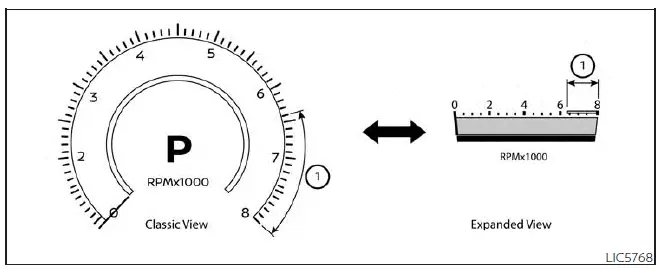
The tachometer indicates engine speed in revolutions per minute (rpm). Do not rev the Nissan Kicks engine into the red zone 1, as excessive engine speed can lead to unnecessary wear or serious damage.
Type A (if so equipped): To access the tachometer, use the
 and
and
 on the
steering wheel to navigate to the "Gauges"
display.
on the
steering wheel to navigate to the "Gauges"
display.
12.3 inch (31 cm) Type B (if so equipped)
Type B (if so equipped): The tachometer is positioned on the left side of the meter cluster, giving the driver a direct view of engine rpm while operating the Nissan Kicks.
CAUTION
When engine speed approaches the red zone, shift to a higher gear if applicable or reduce engine speed immediately. Operating the Nissan Kicks engine in the red zone may cause serious engine damage.
Engine coolant temperature gauge
12.3 inch (31 cm) Type B (if so equipped)
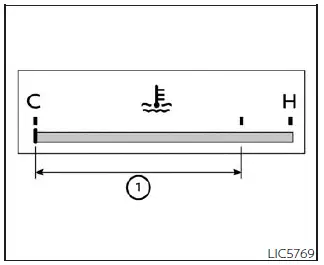
The engine coolant temperature gauge indicates the temperature of the engine coolant. The temperature is considered to be within the normal operating range 1 when the gauge needle points within the zone shown in the illustration.
Engine coolant temperature can vary depending on outside air temperature, traffic conditions, road grade, vehicle load, and driving style. Monitoring this gauge helps the driver recognize abnormal heating before engine damage occurs.
CAUTION
If the gauge indicates a coolant temperature near the hot (H) end of the normal range, reduce vehicle speed to help lower the temperature. If the gauge moves above the normal range, stop the Nissan Kicks as soon as it is safe to do so. Continuing to drive with an overheated engine may cause serious engine damage. For additional information, see "If your vehicle overheats".
Fuel gauge
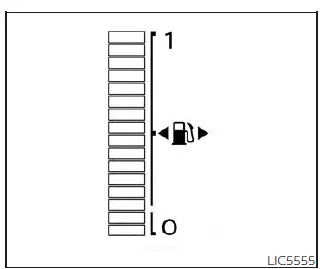
7 inch (18 cm) Type A (if so equipped)
The fuel gauge shows the approximate amount of fuel remaining in the Nissan Kicks fuel tank.
The gauge reading may move slightly during braking, cornering, acceleration, or when driving uphill or downhill. This is normal because fuel moves inside the tank as the vehicle changes speed or direction.
Type A (if so equipped): When the fuel level becomes low, a low fuel warning message appears in the vehicle information display. Refuel the Nissan Kicks as soon as practical to avoid running out of fuel.
Additional reminder: The meters and gauges in the Nissan Kicks are designed to give the driver quick access to essential vehicle information. Checking the speedometer, warning lights, fuel gauge, coolant temperature, and trip data regularly helps support safer driving and proper vehicle maintenance.
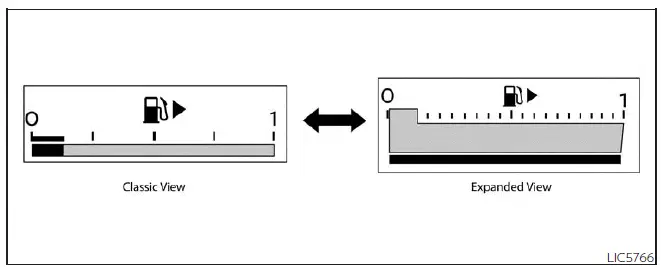
12.3 inch (31 cm) Type B (if so equipped)
Type B (if so equipped): In the Nissan Kicks, the low fuel warning light illuminates when the fuel level in the tank becomes low. This warning is intended to remind the driver to refuel before the remaining range becomes too limited.
Refill the fuel tank before the gauge reaches 0 (Empty). Driving the Nissan Kicks too close to empty may cause inconvenience and can increase the possibility of the engine stopping unexpectedly.
The
 indicates that the fuel-filler
door is
located on the passenger's side of the
vehicle.
indicates that the fuel-filler
door is
located on the passenger's side of the
vehicle.
CAUTION
- If the Nissan Kicks runs out of fuel, the
 Malfunction Indicator Light (MIL) may
come on. Refuel as soon as possible.
Malfunction Indicator Light (MIL) may
come on. Refuel as soon as possible.
After several normal driving trips, the
 light
should turn off. If the light remains illuminated after a few driving trips, have the vehicle
inspected. It is recommended that you visit a NISSAN dealer for this service.
light
should turn off. If the light remains illuminated after a few driving trips, have the vehicle
inspected. It is recommended that you visit a NISSAN dealer for this service.
Distance To Empty (DTE)
The Distance To Empty display shows the estimated distance the Nissan Kicks can be driven before refueling is required. This value is calculated using recent fuel economy, the amount of fuel remaining in the fuel tank, and current fuel consumption.
Changes in driving style or road conditions can cause the DTE value to change. For this reason, the number shown on the display may not always match the exact distance the Nissan Kicks can actually travel before refueling.
When the fuel level becomes very low, the DTE display will change to "---" before the fuel gauge reaches 0 (Empty). This indicates that the remaining driving range is too low to estimate reliably.
NOTE:
- The DTE value after refueling is estimated based on recent fuel economy and the amount of fuel added to the tank.
- If only a small amount of fuel is added, less than 2.7 gallons or 10 liters, or if the ignition is ON during refueling, the display may not update immediately.
- Conditions that affect fuel economy will also affect the estimated DTE value, including city or highway driving, idling time, remote start time, terrain, seasonal weather, added vehicle weight, aerodynamic accessories, deflectors, roof racks, and similar factors.
Trip computer (if so equipped)
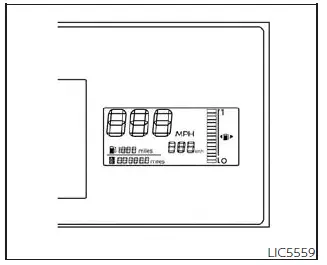
When the ignition switch is placed in the ON position, the Nissan Kicks trip computer modes can be selected by pressing the TRIP RESET switch A.
Each time the TRIP RESET switch is pressed, the display changes in the following order:
Trip A → Trip B → Odometer
The
 switch for the trip
computer is
located on the lower left side of the instrument
panel.
switch for the trip
computer is
located on the lower left side of the instrument
panel.
Each time the
 switch is pushed,
the
display will change as follows:
switch is pushed,
the
display will change as follows:
Average fuel economy → Average speed → Trip time → Trip Distance
Average fuel economy (mpg or km/l)
The average fuel economy mode shows the average fuel economy of the Nissan Kicks since the last reset. To reset this value, press and hold the change/reset switch for more than approximately 1 second. The display updates every 30 seconds. During the first approximately 1/3 mile (500 m) after a reset, the display shows (----) until enough driving data is collected.
Average speed (mph or km/h)
The average speed mode shows the average vehicle speed since the last reset. To reset the average speed reading, press and hold the change/reset switch for more than approximately 1 second.
The display is updated every 30 seconds to provide a current estimate based on recent driving.
For the first 30 seconds after a reset, the display shows (----) while the Nissan Kicks gathers new driving information.
Trip time
The trip time mode shows the elapsed driving time since the last reset. The displayed time can be reset by pressing and holding the change/trip switch for more than approximately 1 second.
Trip distance
The trip distance mode shows the distance traveled since the last reset. This can be useful for tracking individual journeys, fuel stops, or service-related mileage. The trip distance can be reset by pressing and holding the change/trip switch for more than approximately 1 second.
Shipping mode
This message may appear if the extended storage switch is not pushed in. When this warning appears in the Nissan Kicks, push in the extended storage switch to turn off the message and restore normal vehicle electrical operation.
Additional driving note: Fuel range, trip distance, and average economy readings in the Nissan Kicks are estimates designed to help the driver plan refueling and monitor driving efficiency. For best results, reset trip data after refueling or at the start of a planned journey.